If you’ve ever stood in front of a robot and stared at a hodgepodge of parts that just won’t line up, you know how frustrating it can be. As a robot accessories supplier, I’ve spent the last eight years talking to small business owners, automation engineers, and even hobbyists who’ve all dealt with the same headache: mismatched grippers that slip off factory arms, sensors that don’t talk to the control units, or end effectors that weigh too much and break the robot’s payload limit. The thing is, compatibility isn’t just about buying parts that “look like they fit”—it’s a mix of technical due diligence, testing, and building relationships with suppliers who get the nuances of how robots work. Today, I’m breaking down the practical steps I walk my own customers through to make sure their accessories actually work, no do-overs required. Robot Accessories
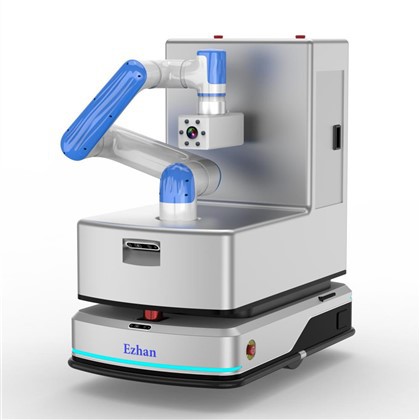
First, you have to start with the robot’s core specs—no guessing here. Every industrial, collaborative, or service robot comes with a technical datasheet, and it’s the first place I tell people to look. I’ve seen guys buy a $500 custom gripper for a 6-axis robot only to find the mounting bolt pattern doesn’t match the robot’s tool flange, or that the gripper’s power draw exceeds the robot’s end-of-arm (EOA) power supply. The datasheet will list non-negotiables: bolt pattern diameter, number of bolt holes, payload rating for the EOA tool, power and communication protocols (like Modbus, EtherNet/IP, or PROFINET), and even the maximum moment of inertia a tool can have before it throws the robot off balance. For example, a 10kg collaborative robot might have a 2kg payload limit for EOA tools, so if you’re trying to mount a 3kg camera, that’s not just incompatible—it’s a safety hazard. I always tell customers to write down every one of these specs before they even start browsing accessories; it’s like having a map so you don’t get lost in the sea of options online.
Next, don’t sleep on communication protocols. This is where most people stumble, especially with newer collaborative robots that use wireless or proprietary connections. A few years back, a customer came to me with a setup where he wanted to add a vision sensor to his UR5 robot. He picked a sensor that had great reviews, but it used a custom protocol that didn’t integrate with Universal Robots’ URScript interface. We had to swap it for a sensor that supported TCP/IP, which took an extra week of testing and almost cost him a delay in his production line. The key here is: if your robot uses a standard protocol, stick to it. If it uses a proprietary one, make sure the accessory supplier has experience working with that exact robot brand. Good suppliers—like our team—don’t just sell parts; we’ve tested our accessories with 100+ robot models, so we know which protocols work where. We even keep a running log of compatibility notes for each product, so when a customer tells us their robot model, we can immediately flag if a specific accessory will play nice.
Then, test for mechanical compatibility before you install—don’t just assume it fits. Even if the bolt pattern matches, there are tiny details that can throw things off. For example, the offset between the mounting surface of the accessory and the robot’s tool flange: if the accessory is too thick, it might hit the robot’s arm when it moves to full extension. Or, the grip radius of a gripper might be too small for the parts your robot handles, so even if the mounting fits, it can’t actually grab the component. I always recommend doing a “dry fit” first—no power, just physically attach the accessory to the robot and move the arm through its full range of motion. We provide free 3D CAD files for all our accessories, which is a game-changer. Customers can import the CAD file into their robot’s simulation software (like RobotStudio for ABB or CoppeliaSim for hobbyists) to test movement virtually before they even receive the part. That saves so much time and money—last year, a small packaging company used our CAD model to find that their end effector would collide with their conveyor belt, and they swapped to a shorter model before ordering, avoiding a $2,000 mistake.
Don’t overlook environmental compatibility either. This is a big one for robots in warehouses, manufacturing plants, or outdoor settings. A lot of people buy accessories without thinking about where the robot will operate. If it’s in a dusty foundry, a regular plastic sensor housing will get clogged with metal shavings and stop working in a month. If it’s in a freezer warehouse, an unheated gripper might freeze shut and break. Our team designs accessories with environmental ratings in mind—IP65 for dust and water resistance, materials that can handle extreme temperatures from -20°C to 60°C, and corrosion-resistant coatings for marine or chemical plants. We also provide test reports for each accessory, so customers can see exactly how it performs in their specific environment. A customer in a food processing plant once bought a cheap gripper from another supplier; it wasn’t rated for food-grade washdown, so after a month of high-pressure cleaning, it had rusted and contaminated their product. Switching to our food-grade stainless steel gripper solved that problem, and it’s still working two years later.
Another step is vetting your supplier’s compatibility process, not just their products. Not all accessory suppliers are equal—some just buy generic parts and slap a label on them, without doing any testing. A good supplier should have a dedicated compatibility team that tests every accessory with popular robot models, not just speculating. They should provide clear documentation: compatibility lists, CAD files, test reports, and even customer references for the exact robot model you use. At our company, we have a 1,500-square-foot test lab where we pair every new accessory with 20+ different robot arms to check for fit, function, and communication. We also offer pre-purchase compatibility checks—just send us your robot model and the accessory you’re looking at, and we’ll tell you if it works, no strings attached. That’s something cheap suppliers won’t do; they’ll just say “it should work” and leave you to deal with the headache if it doesn’t.
Finally, build a relationship with your supplier, not just a one-off transaction. Compatibility isn’t a one-time check—it’s an ongoing thing. As your business grows, you might upgrade your robot, add new accessories, or switch production lines. A good supplier will remember your setup, let you know when a new accessory is compatible with your robot, and even help you troubleshoot if something goes wrong. I’ve had customers call me at 8 p.m. panicking because a new sensor they bought didn’t work, and we walked them through a quick firmware update that fixed it. That’s the value of working with a supplier who knows their stuff, not just someone trying to make a quick sale.
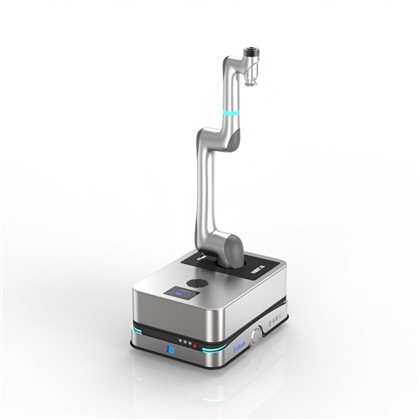
At the end of the day, ensuring robot accessory compatibility comes down to attention to detail, not luck. It’s about checking the specs, verifying communication protocols, testing mechanically and environmentally, and partnering with a supplier that stands behind their products. If you’re tired of wasting time and money on parts that don’t fit, or if you’re setting up a new robot system and want to get it right the first time, I’d encourage you to reach out to our team to discuss your specific needs. We can walk you through our compatibility process, share our test data, and help you pick accessories that work seamlessly with your robot.
Software System References
- Robotics Industries Association. (2022). Robot End-of-Tooling Compatibility Standards. RIA Publication 15.8.
- Universal Robots. (2023). Collaborative Robot EOA Tool Integration Guide.
- International Organization for Standardization. (2021). Industrial Robots – Environmental Requirements – Part 1: Definitions and Classification. ISO 10218-1.
- ABB Robotics. (2022). RobotStudio Simulation Best Practices for Accessory Compatibility Testing.
Shenzhen Ezhan Technology Co., Ltd.
We’re known as one of the most reliable robot accessories manufacturers and suppliers in China. With abundant experience, we warmly welcome you to buy bulk customized robot accessories from our factory. If you have any enquiry about cooperation, please feel free to email us.
Address: Room 1808, 1809, 1810, Building 2, Aipark, Baolong 4th Road, Longgang District, Shenzhen City
E-mail: sales01@ezhankeji.com
WebSite: https://www.ezhanrobot.com/
